
Your field teams are carrying your most sensitive project data across open jobsites on devices most firms have never bothered to secure.
Blueprints, RFIs, subcontractor records, and bid documents now live on smartphones and tablets running through public networks, shared between rotating crews, and occasionally left behind in a job trailer or pickup truck. When one of those devices walks off, so does everything on it.
Construction became the most targeted industry for extortion-based cyberattacks — accounting for roughly 15% of publicly named ransomware victims globally — and the entry point is increasingly the field, not the office. The average data breach now costs $4.88 million, and that figure doesn’t account for the contract penalties, project delays, and client trust lost when sensitive project data ends up in the wrong hands.
Construction environments create a combination of pressures most IT frameworks were never designed to handle:
| Risk Factor | What It Means in Practice |
|---|---|
| Distributed operations | Field crews move between sites daily, devices change hands between shifts, and subcontractors plug into company systems without IT visibility. Every unmanaged device with access to Procore is a blind spot with a login. |
| High-value data on unprotected hardware | Blueprints, bid packages, and client contracts represent months of estimating work. Weak access controls — shared passwords, no MFA, no role-based permissions — leave those files exposed to anyone who obtains a valid credential. |
| Physical device loss is constant | High device turnover and open site access make theft a persistent exposure. When an unsecured tablet walks off a jobsite, it takes project files, access credentials, and live Procore and Autodesk connections with it. |
| The human element compounds every risk | Field workers manage texts, emails, approvals, and physical tasks simultaneously. Attackers exploit that distraction deliberately. The human element was involved in 68% of data breaches in 2024 — and construction workers are among the most exposed populations. |
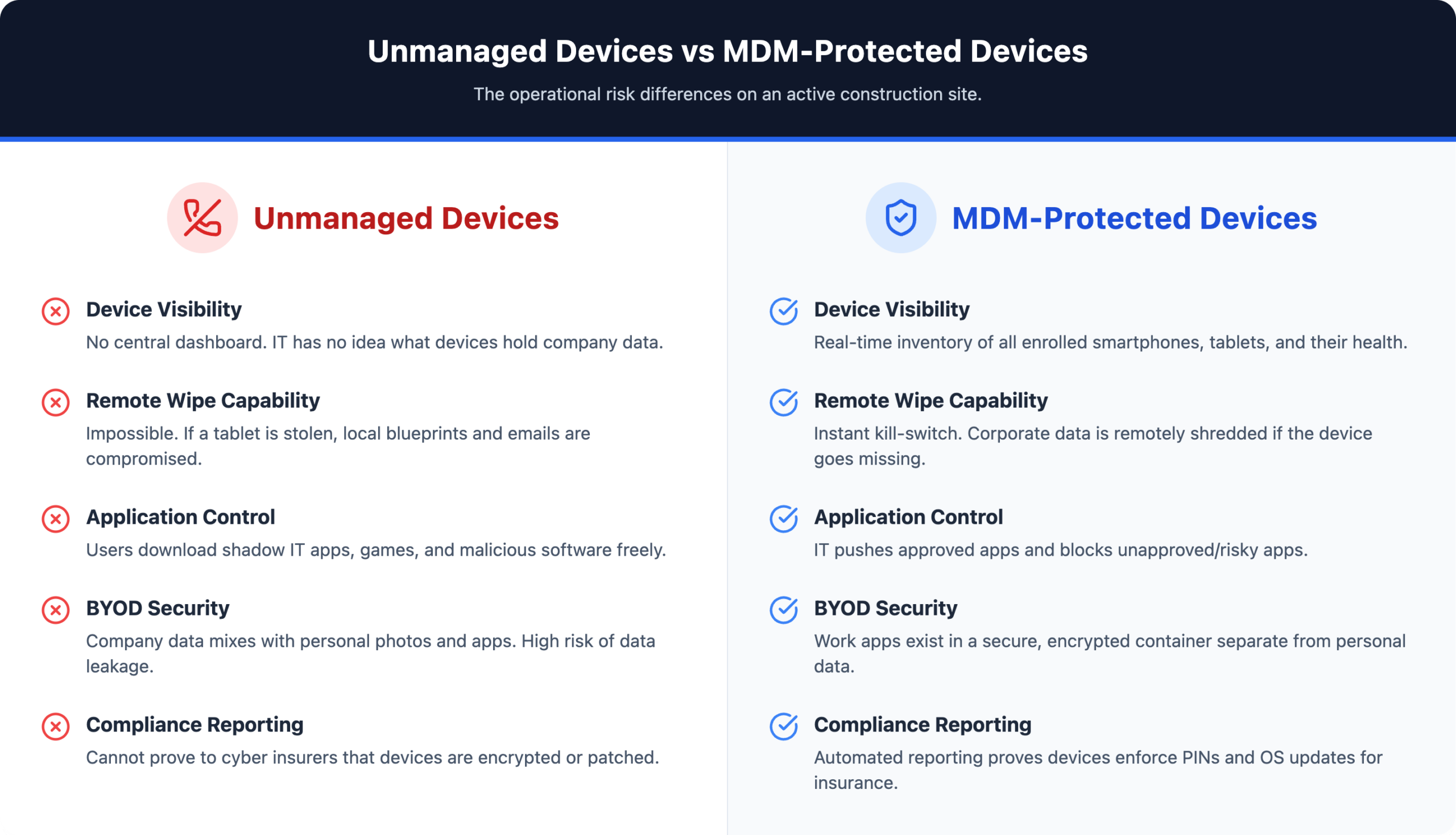
Not all MDM platforms are built for environments where devices rotate between workers, get dropped in mud, and connect to unvetted networks across a dozen active sites. Evaluate against these specific capabilities:
Remote lock and wipe When a tablet goes missing on a 500-person jobsite, the clock starts immediately. Remote lock and wipe gives IT the ability to disable a device or erase its contents the moment a loss is reported — before credentials, project files, or subcontractor data can be accessed. Minutes matter here, not days.
Application management for Procore, Autodesk, and Bluebeam MDM pushes approved applications directly to devices, enforces version control, and blocks unauthorized software. This keeps field teams on current, secure versions of their project management tools without relying on individual workers to manage updates — and eliminates the risk of shadow apps introducing vulnerabilities into the project environment.
Encryption and containerization Containerization creates a hard boundary between corporate data and personal content on the same device. Project drawings, RFIs, and inspection logs live in an encrypted work container that IT controls independently. Encryption protects that data both at rest on the device and in transit across networks — critical on sites where workers connect through public hotspots.
| MDM Controls This | MDM Does NOT Access This (on BYOD) |
|---|---|
| Security policy enforcement across all enrolled devices | Personal photos and camera roll |
| Remote lock and wipe on lost or stolen devices | Personal messages and email |
| App installation — pushing approved apps, blocking unauthorized ones | Banking and personal finance apps |
| Compliance monitoring across the entire device fleet | Personal browsing history |
| Encryption of corporate data at rest and in transit | Any content outside the work container |
Geofencing and location tracking When a device crosses outside a defined project boundary, MDM can automatically lock specific applications, trigger alerts, or restrict data access entirely. This also supports equipment tracking and helps operations leaders verify that company devices stay within authorized project zones.
Automated patching and compliance reporting MDM handles OS and application updates automatically, removing the dependency on field workers to approve or install patches. It also generates audit-ready compliance reports documenting device status, policy enforcement, and update history — which insurers and enterprise general contractors now require before awarding contracts or extending coverage.
Containerization resolves this directly: MDM creates a walled partition that keeps company data encrypted and controlled without IT ever touching anything personal. That boundary matters legally and operationally, particularly as privacy expectations among workers continue to harden.
A functional BYOD program requires four elements before any device touches project systems:
Define acceptable use. Specify which apps and data employees can access on enrolled devices, and restrict installation of applications that introduce unnecessary risk.
Require enrollment as a condition of access. Mandate MDM enrollment before granting access to any project management system, drawing set, or communication platform — not as an optional request.
Separate work and personal with containerization. The work profile remains fully managed. The personal side of the device stays completely off-limits to IT.
Enable selective wipe for offboarding. When an employee leaves, remove only company data from the container. The personal side of the device remains untouched.
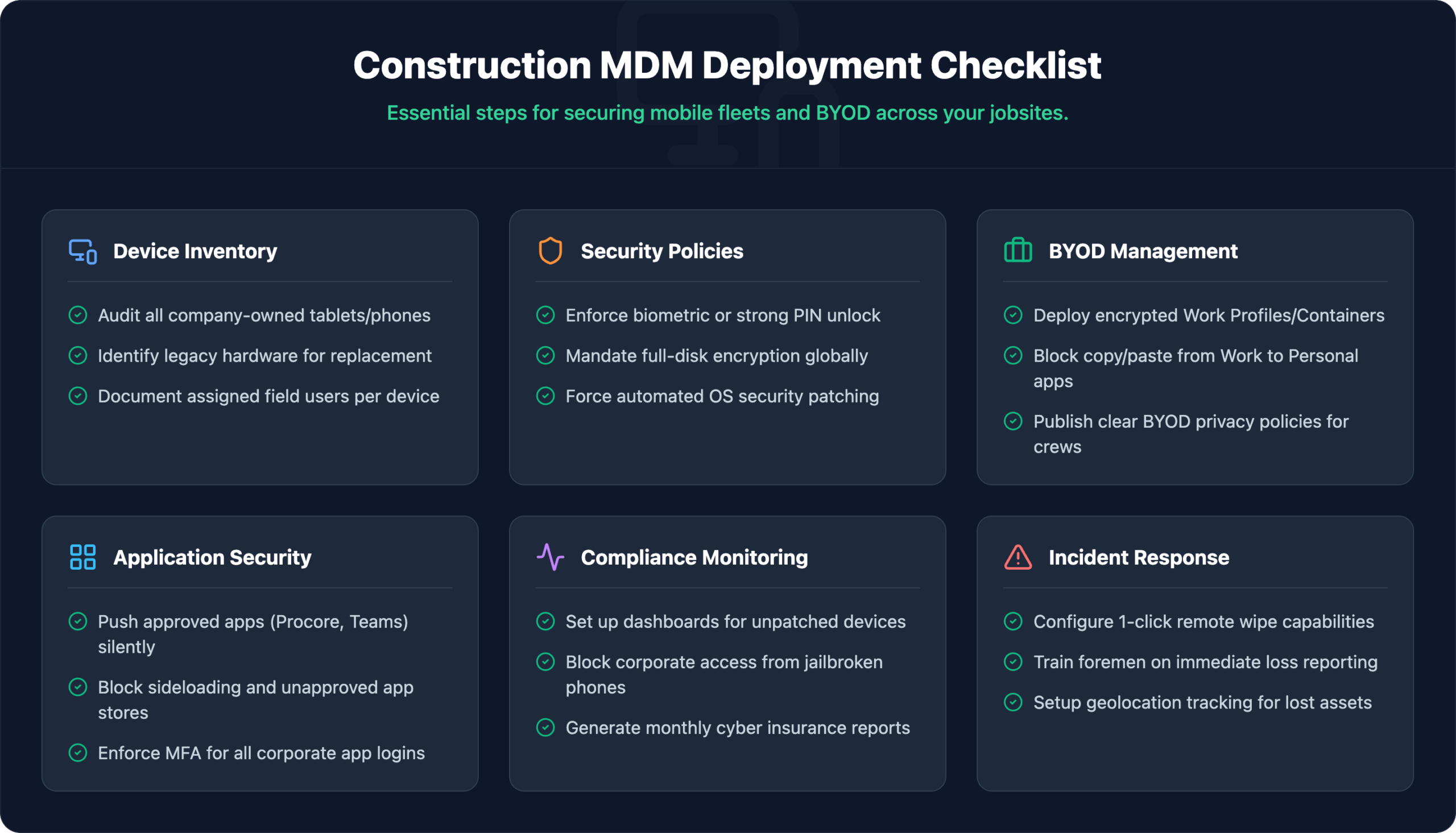
A structured rollout accounts for the realities of multi-site construction environments — active projects, rotating crews, and devices already in the field.
Catalog every smartphone, tablet, rugged handheld, and shared kiosk device across all sites before selecting a platform. Many firms discover shadow apps and unmanaged personal devices at this stage. That visibility is the foundation for every decision that follows.
Establish rules covering password requirements, approved applications, data access tiers, and acceptable use before a single device is enrolled. Document the policy so it can be enforced consistently across rotating crews and subcontractors.
Choose an MDM solution that supports rugged devices, maintains core functionality in offline or low-connectivity environments, and integrates with Procore, Autodesk Construction Cloud, and Bluebeam. Generic enterprise MDM tools often fail in field conditions where connectivity is intermittent and device turnover is high.
Build device profiles that enforce your security policy, push approved app catalogs, and restrict unauthorized installations. Enrollment can run automatically through zero-touch provisioning or supervised user self-service, depending on device ownership structure and crew size.
Adoption fails when crews don’t understand why new controls exist. Training doesn’t need to be lengthy — show workers what changed, what they can’t do, and who to contact when something breaks. Supervisors need enough knowledge to reinforce compliance without escalating every issue to IT.
MDM is not a one-time deployment. Review compliance reports regularly, flag non-compliant devices before they become breach vectors, and adjust policies as projects close, crews change, and new applications enter the workflow.
Construction firms managing distributed field teams need more than software deployment — they need an IT partner that understands the operational context of jobsites, the compliance expectations of enterprise owners and insurers, and the real cost of getting it wrong.
Book a Field Security Assessment with IT GOAT →
IT GOAT works with construction and field-service businesses across the U.S. to design and manage MDM environments built around how crews actually work.
Most enterprise MDM platforms cache policies locally on the device and synchronize updates when connectivity is restored. Devices continue enforcing existing security policies offline. Some features — real-time location tracking and immediate remote wipe commands — require an active connection to execute.
No. Containerization keeps work and personal data in separate partitions. IT manages only the work container — personal apps, photos, and messages remain completely outside IT’s visibility and control. Selective wipe removes corporate data from the work container without touching personal content.
MDM manages device-level controls: encryption, remote wipe, policy enforcement. EMM extends that to application management and content distribution. UEM covers laptops, desktops, and IoT endpoints under a single console. For most mid-sized construction firms, MDM or EMM is sufficient. Firms running complex mixed fleets including rugged handhelds, Windows laptops, and site IoT devices benefit from UEM.
Yes, if they’re accessing company systems from personal or unmanaged devices. Any device that touches project data, financial systems, or document repositories carries the same risk profile as an internal employee’s device. Guest or contractor enrollment profiles can be scoped to specific apps and set to expire automatically at project close.
Most firms complete initial deployment within a few weeks when they enter the process with documented requirements and a clear enrollment plan. Firms without a prior device inventory or written security policy typically take longer during the setup phase.
We use cookies to enhance site performance and user experience. Your data stays private — we don’t sell your information or share it with unrelated third parties. To find out more about the cookies we use, view our Privacy Policy.